


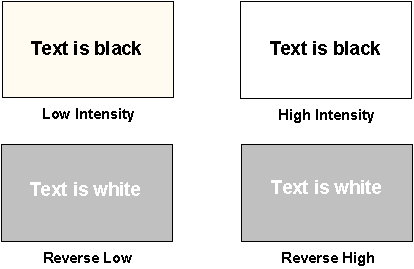
COLOR-MODEL settings "5" and "6" create a reverse-video image of your application. Thus, low-intensity white-on-black will appear as black-on-gray, and high-intensity will appear as black-on-white.
These settings cause the intensity to appear in the background instead of the foreground. For applications that have low-intensity legends and high-intensity data fields, this will cause the data fields to be highlighted on the screen.
Equivalent settings
COLOR-MODEL "5" is equivalent to Color-Trans "1", Intensity-Flags "129".
COLOR-MODEL "6" is equivalent to Color-Trans "1", Intensity-Flags "129", Background-Intensity "2".
See Appendix H, Book 4, "Appendices" for details.