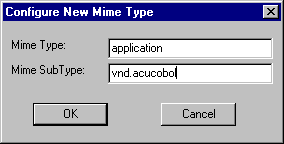
The following procedure was written for Version 3.x of Netscape Navigator. Other versions of Netscape will operate differently. (Refer to the documentation that comes with the product for instructions on configuring MIME types.) To configure Netscape Navigator Version 3.x to use ACUCOBOL-GT as a helper application, users should:
1. Start Netscape Navigator.
2. Select "General Preferences" from the Options menu.
3. Click the "Helpers" tab.
4. Click "Create New Type. . ." The "Configure New MimeType" dialog box displays.
5. Click inside each field in the box and do the following:
| Field
| Action
|
| MIME Type
| type "application"
|
| MIME SubType
| type "vnd.acucobol"
|
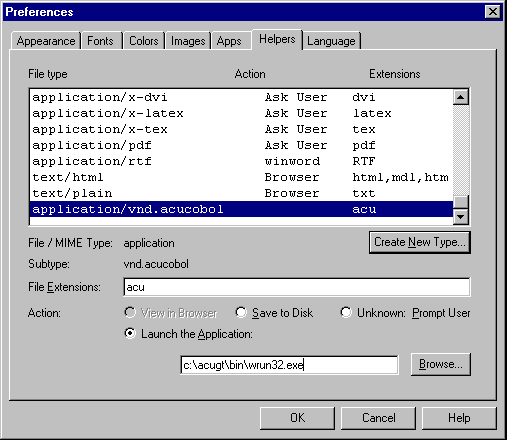
7. In the File Extensions field, type "acu".
8. Click the radio button labeled, "Launch the Application".
9. Browse to and select the ACUCOBOL-GT runtime file
"wrun32.exe". The Helpers tab should now look like this:
10. Click "Ok."