


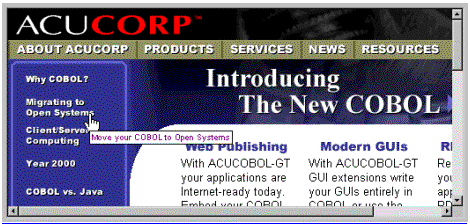
The Web-browser control is installed with Microsoft Internet Explorer 3.0 and later. It provides the view you see in the main window of the Microsoft Internet Explorer and it provides the functionality for displaying Web pages containing HTML, scripting, and ActiveX control and Java applet content. The control also hosts OLE document objects, supports OLE hyperlinks, and allows users to view Windows objects such as folders and files. Because it is an ActiveX control, it can be used in an OLE control container application.
The ACUCOBOL-GT runtime uses ActiveX (OLE control) containment to offer the facilities of the Web-browser control to COBOL programs. A new control type, WEB-BROWSER, has been added for this purpose. The WEB-BROWSER control is used just like any other ACUCOBOL-GT control. For example to create a WEB-BROWSER control identified by the name BROWSER-1 using the workingstorage item URL-1 as its value, add the following lines to a screen section item:
	03  BROWSER-1 WEB-BROWSER VALUE URL-1
	    COLUMN 5, LINE 5, SIZE 60, LINES 20.
or add the following procedure division code:
	DISPLAY WEB-BROWSER VALUE URL-1
		COLUMN 5, LINE 5, SIZE 60, LINES 20
		HANDLE IN BROWSER-1.
TITLE
Web-browsers do not use titles.
VALUE
Web-browsers take an alphanumeric value which is the URL.
SIZE
Web-browsers define their height by multiplying the LINES value by cell size.
Web-browsers define their width by multiplying the SIZE value by the standard or wide font measure as described below. If the web-browser control is also boxed, the space required for the box is added to the width. Web-browsers have a minimum width of at least one character.
COLOR
Web-browsers ignore any colors specified. The actual colors used are system-dependent. Under Windows, the user selects the colors in the Control Panel.
Here is a table of the methods with their corresponding ACUCOBOL-GT Web browser control properties and descriptions:
| Method
| ACUCOBOL-GT WEB-BROWSER control property | Description
|
| GoBack
| GO-BACK
| Navigates to the previous item in the history list. |
| GoForward
| GO-FORWARD
| Navigates to the next item in the history list. |
| GoHome
| GO-HOME
| Navigates to the current configured home or start page. |
| GoSearch
| GO-SEARCH
| Navigates to the current configured search page. |
| Navigate
| VALUE
| Navigates to a resource identified by a URL or file path. |
| Refresh
| REFRESH
| Reloads the current page. |
| Stop
| STOP
| Stops any pending navigation or download.
|
To invoke the GoBack, GoForward, GoHome, GoSearch, Refresh, and Stop methods you simply modify the control setting the appropriate properties to "1". Toinvoke the Navigate method, modify the control setting the VALUE property to the desired URL. For example, to invoke the GoBack method:
MODIFY BROWSER-1 GO-BACK=1.To invoke the Navigate method:
MODIFY BROWSER-1 VALUE="http://www.acucorp.com".or if you have defined the WEB-BROWSER control with value URL-1 in a screen section item called BROWSER-SCREEN:
	MOVE "http://www.acucorp.com" to URL-1.
	DISPLAY BROWSER-SCREEN.
These methods are invoked asynchronously. This means that the MODIFY verb may finish executing before the operation is complete. You may check the value of the BUSY property (see below) to determine whether the operation has completed.
Here is a table of the properties with their corresponding ACUCOBOL-GT Web browser control properties and descriptions:
| Property
| ACUCOBOL-GT WEB-BROWSER control property
| Description |
| Busy
| BUSY
| Indicates whether a download or navigation is still in progress. |
| LocationName
| TITLE
| Name of the resource that the WEB-BROWSER control is currently displaying. |
| LocationURL
| VALUE
| URL of the resource that the WEB-BROWSER control is currently displaying. |
| Type
| TYPE
| Type of the current contained document object.
|
BUSY, LOCATION-NAME, and TYPE are read-only properties. Setting their values has no effect. As with all ACUCOBOL-GT control properties, you may use the INQUIRE verb to obtain a WEB-BROWSER control's properties. For example, to check whether a WEB-BROWSER control has completed executing the last invoked method:
	INQUIRE BROWSER-1 BUSY IN BROWSER-1-BUSY.
	IF BROWSER-1-BUSY = 1
		...
	END-IF
To get the URL that the browser is currently displaying:
INQUIRE BROWSER-1 VALUE IN URL-1.
or if you have defined the WEB-BROWSER control with value URL-1 in a screen section item, the LocationURL will automatically be moved to URL-1 when an event or exception occurs or the ACCEPT terminates.
Here is a table of the events and their descriptions with their corresponding ACUCOBOL-GT Web browser control events:
| Event
| Description
| ACUCOBOL-GT WEB-BROWSER control event (in acugui.def)
|
| BeforeNavigate
| Occurs when the WEB-BROWSER control is about to navigate to a new URL.
| MSG-WB-BEFORE-NAVIGATE (value 16429)
The NAVIGATE-URL property is set to the new URL. If you set EVENT-ACTION to EVENT-ACTION-FAIL, navigate will be cancelled. |
| DownloadBegin
| Occurs when a navigation operation is beginning, shortly after the BeforeNavigate event. | MSG-WB-DOWNLOAD-BEGIN (value 16431)
|
| DownloadComplete
| Occurs when a navigation operation is finished. | MSG-WB-DOWNLOAD-COMPLETE (value 16432)
|
| NavigateComplete
| Occurs after the browser has navigated to a new URL.
| MSG-WB-NAVIGATE-COMPLETE (value 16430)
The final URL is stored in the VALUE property. |
| ProgressChange
| Occurs when the progress of a download is updated.
| The PROGRESS property is set to the current progress value. The MAX-PROGRESS property is set to maximum progress value
|
| StatusTextChange
| Occurs when the status bar text has changed.
| MSG-WB-STATUS-TEXT-CHANGE (value 16434)
The STATUS-TEXT property is set to the new status text. |
| TitleChange
| Occurs when the title of a document in the WEB-BROWSER control becomes available or changes.
| MSG-WB-TITLE-CHANGE (value 16435)
The TITLE property is set to the new title |
| Event Property
| Description
|
| STATUS-TEXT
| When a StatusTextChange event occurs, this is set to the new status text. |
| NAVIGATE-URL
| When a BeforeNavigate event occurs, this property is set to the new URL.
|