


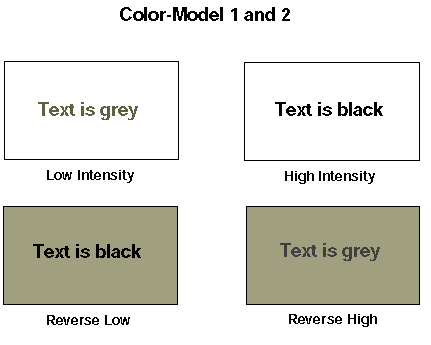
COLOR-MODEL settings "1" and "2" cause the default background to be white.
A character's intensity is shown in the foreground, but switched so that high and low intensity are exchanged. This results in the default low intensity being shown as gray-on-white, while high intensity appears as black-on-white. The result is that high-intensity stands out more than low-intensity.
Reverse-video appears as black-on-gray. If you use reverse-video boxed windows, then these are good settings if you also want to use the 3-D-LINES variable to give your borders a three-dimensional effect (described later in this chapter).
Equivalent settings
Color-Model "1" is equivalent to Color-Trans "5", Intensity-Flags "34" and Background-Intensity "1".
Color-Model "2" is equivalent to Color-Trans "4", Intensity-Flags "34" and Background-Intensity "1".
See Book 4, Appendix H for details.