


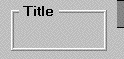
A FRAME is a simple box displayed on the screen. Use frames to group together items, to create a progress (or status) bar, or to add visual interest to the screen. Frames may have titles associated with them (which appear in their border) and can have a variety of 3-D effects applied to them. A frame may have only one 3-D style specified for it. If no 3-D styles are used, the frame is drawn as a simple line.
Frames are unusual in that they draw on only a portion of their total area. The interior of the frame is typically occupied by additional controls. Any interior portion of the frame that is not occupied by another control is shown as either spaces over the window's background color or filled with a color specified in the FILL-COLOR property. This means that you cannot display textual data (e.g., Format 1 DISPLAY) inside a frame. If you need to create a box around textual data, use DISPLAY BOX.
The set of FRAME properties includes:
Common Properties
TITLE
A frame may have a title. It can appear in several possible positions, depending on the value of the TITLE-POSITION special property. The "TITLE" phrase is used to specify the title. A key letter may be specified in the title (see Book 3, Chapter 6, section 6.4.9, "Common Screen Options").
VALUE
Frames do not have values.
SIZE
The LINES and SIZE values describe the area occupied by the frame, using the frame's font to determine the dimensions of the row and column. The frame is drawn immediately inside the described area, except that the top or bottom line of the frame is moved by half the height of the title font (even if no title is specified). This allows the title, if any, to appear centered vertically in the frame's upper or lower line, depending on the value of the TITLE-POSITION special property. However, if the FULL-HEIGHT style (described below) is specified, the frame's title will descend from the top of the frame instead of being centered vertically. The default LINES value is "5". The default SIZE value is "12".
When the program executes on a non-graphical system, the values specified in the CLINES and CSIZE phrases, if present, replace the values specified by the LINES and SIZE phrases.
COLOR
For the default style, the foreground color is used when the frame is drawn. The background color is not used. However, for the various 3-D styles, the background color is the primary color used, and the foreground color is not used. Normally, you want the background color to match the surrounding area when drawing a 3-D effect. Frames use the current window colors as the default foreground and background colors.
STYLES
HEAVY This style causes the frame to be thicker or more pronounced than normal. The exact effect depends on the other styles used.
VERY-HEAVY This style creates a very heavy line or 3-D effect. Most of the 3-D effects degrade somewhat when used with this style. However, you should use this style whenever you use the ALTERNATE style (documented below).
ALTERNATE This style creates an alternate look. To get the alternate look, you must also specify either the HEAVY or VERY-HEAVY styles (described above).
The default (NORMAL) style, when combined with the ALTERNATE and VERY-HEAVY styles, produces a double-line frame. The runtime accomplishes this by filling the middle pixel of the 3-pixel frame with the background color.
The effect of ALTERNATE on the RAISED, LOWERED, ENGRAVED, and RIMMED styles is described below under their respective entries. All styles can be previewed on screen with the FRAMES sample program. A screen capture of this program's display is included at the end of this section.
RAISED This is one of the four 3-D styles. The raised style causes the interior of the frame to appear as if raised above the surface of the screen. We suggest that you do not use a title with this style because the title tends to reduce the 3-D effect.
When combined with the ALTERNATE and VERY-HEAVY styles, RAISED creates a frame that appears to have a raised area with a slight rim around it. Be careful when using this style that you don't make a frame that looks like a push-button.
LOWERED This is one of the four 3-D styles. This style causes the interior of the frame to appear to be lower than the surface of the screen. We recommend against using a title with this style because the title tends to spoil the 3-D effect.
When it is combined with the ALTERNATE and HEAVY (or VERY-HEAVY) styles, LOWERED creates a frame that has a dark border around the interior of the lowered region.
ENGRAVED This is one of the four 3-D styles. This style causes the frame to appear lower than the surface of the screen, while the interior of the frame appears to be level with the surface.
When combined with the ALTERNATE and VERY-HEAVY styles, the engraved area of the frame appears to be accentuated and deeper. When ENGRAVED is used with the ALTERNATE and HEAVY styles, the middle pixel of the 3-pixel frame is painted black instead of the background color. This makes the framed region look like a separate piece of the screen.
RIMMED This is one of the four 3-D styles. This style causes the frame to appear to be raised above the surface of the screen, while the interior of the frame appears to be level with the surface.
When combined with the ALTERNATE and VERY-HEAVY styles, the rim appears to be taller than usual.
FULL-HEIGHT This style causes the top line of a frame to appear at the exact row position specified. In this case, the frame's title descends from the top of the frame instead of being centered vertically. Use in conjunction with TITLE-POSITION (described below) to adjust the frame title's location.
To see how the different frame styles appear on your system, compile and run the sample program "frames.cbl".
Special Properties
HIGH-COLOR (numeric) In order to draw the 3-D effects, the runtime requires three related colors: the background color, and lighter and darker versions of that color. The HIGH-COLOR property specifies the color number of the brighter color. The LOW-COLOR property specifies the color number of the darker color. If either of these values is zero, the runtime will attempt to find default values. The runtime knows how to find colors for the low-intensity versions of blue, green, cyan, red, magenta, brown, and white (out of the default palette). If the background color is not one of these colors, and either the HIGH-COLOR or LOW-COLOR is zero (0), the 3-D effect will be ignored.
LOW-COLOR (numeric) This property supplies the color number of the darker version of the background color used to draw the 3-D styles. See HIGH-COLOR above for a complete description.
FILL-COLOR (numeric) This property establishes a color that fills a frame's interior. The color values range from 1 to 16. A value of "0" (the default) indicates that the frame should have no fill color. The color acts like a background color in terms of how color modification settings affect it. (Note that the control's background intensity setting can also affect this color.) For a borderless colored area, make the frame's color and the fill color the same.
The specified fill color is used in the borders of the RAISED and ENGRAVED styles, but not in the borders of the other 3-D styles. Note that the frame's title establishes its own background color, which is visible only if it is not the same as the fill color. We recommend that you do not insert titles on filled frames. (An exception is interior titles; see the TITLE-POSITION property below.)
FILL-PERCENT (numeric) This property allows you to fill a portion of a frame with the fill color. The property's value is the percentage of the frame filled, from 0 to 100. If the frame is taller than it is wide (in base units), then the fill color is applied from the bottom of the frame up to the specified percentage. Otherwise, the frame is filled with the indicated percentage of fill color from left to right. You can use this property to create a progress (or status) bar. The default value for this property is "100".
FILL-COLOR2 (numeric) This property has the same range of values (1-16) as FILL-COLOR but is used only if the value of FILL-PERCENT is less than "100". The color specified by this property is applied to the part of the frame that is not filled by FILL-COLOR. If the value of FILL-COLOR2 is "0" (the default), then no color is applied to the part of the frame not already filled by FILL-COLOR.
TITLE-POSITION (numeric) This property determines the position of the frame's title, as follows:
1 Top left
2 Top center
3 Top right
4 Bottom left
5 Bottom center
6 Bottom right
7 Centered vertically and horizontally
Unless the FULL-HEIGHT style (described above) is in effect, a TITLE-POSITION value of "1", "2", or "3" places the top of the frame half a character lower than the specified position. A TITLE-POSITION value of "4", "5", or "6" places the bottom of the frame half a character higher than the specified position. With values 1-6, the frame's title appears centered with respect to the frame's border.
TITLE-POSITION value "7" does not adjust the border position as described above, nor does it have a background color. As a result, it can be used with FILL-COLOR and FILL-PERCENT.
Events
Frames do not generate events.
Examples
The following creates a simple frame:
DISPLAY FRAME, LINES 7, SIZE 30.
Here is a frame with a title specified in the Screen Section:
03 FRAME, "Options", SIZE 15, LINES 7.
Here is a frame that has the visual effect of having a dramatically raised surface:
03 FRAME, LINE 4, COL 15, LINES 5, SIZE 25,

     RAISED, HEAVY.