


1. Create a new DSN as described in section 3.1 "Data Source Names (DSNs)". The only tabs where you should enter information are the General tab and the Multicompany tab.
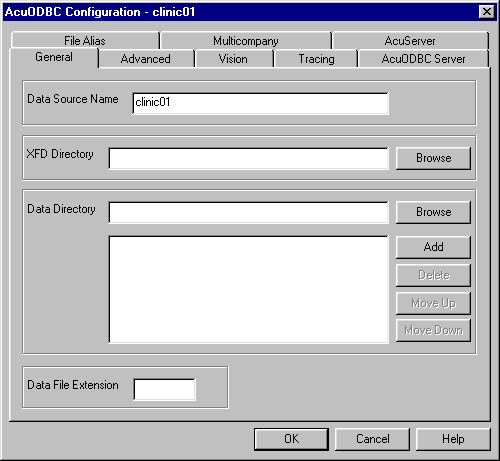
2. On the General tab, enter only the "Data Source Name", as shown in the following screen. The Data Source Name must match the company name that you entered on the Multicompany tab of the master DSN. (See section 3.8.1 "Creating the Master DSN" for more information.)
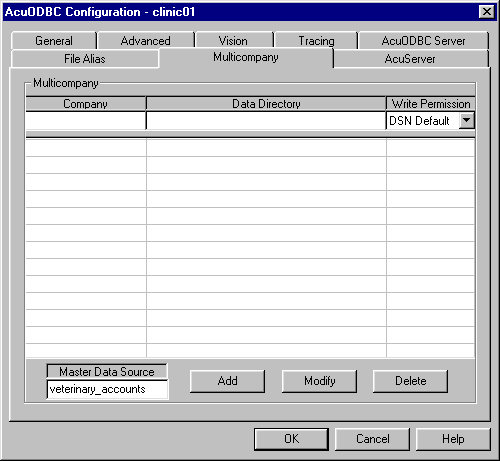
3. On the Multicompany tab, enter only the name of the "Master Data Source", as shown in the following screen.
4. Click OK when you have finished defining the DSN.