


ODBC must be installed and configured before you install Acu4GL for ODBC. This product is not provided by Acucorp, but probably was installed along with any ODBC drivers or data sources that you have on your system. For example, if you have installed Microsoft Access on your computer, the Access drivers and ODBC may have been automatically installed.
Follow these steps to determine whether you already have ODBC:
1. Open the Windows control panel. It will look similar to this (the actual icons will depend on your system configuration):
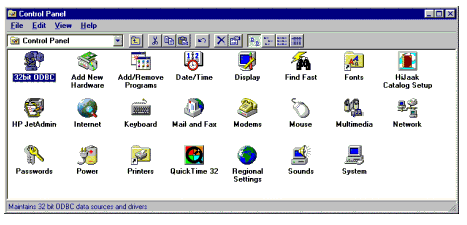
2. Look for the ODBC icon. Double clicking on this icon will bring up the Data Sources dialog box showing all the data sources currently configured for your system. If the ODBC icon is not in your control panel, ODBC is probably not installed on your system. To install ODBC on your system, you have two options: