


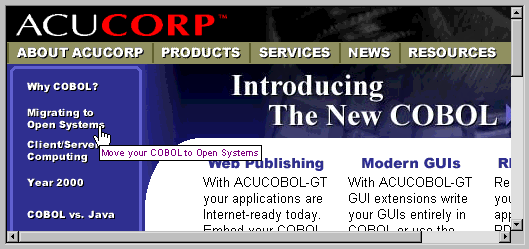
The WEB-BROWSER control is used in conjunction with Microsoft Internet Explorer 4.0 and later. It provides the view you see in the main window of the Microsoft Internet Explorer, and it provides the functionality for displaying Web pages containing HTML, scripting, and ActiveX control and Java applet content. The control also hosts Object Linking and Embedding (OLE) document objects, supports OLE hyperlinks, and allows users to view Windows objects such as folders and files. Because it is an ActiveX control, it can be used in an OLE control container application.
For more information about the usage of the WEB-BROWSER control, please refer to Appendix B of "A Programmer's Guide to the Internet." That document is included on your ACUCOBOL-GT distribution media and installed in the same directory as the ACUCOBOL-GT manual set.
The ACUCOBOL-GT runtime uses ActiveX (OLE control) containment to offer the facilities of the web browser control to COBOL programs. The web browser control is used just like any other ACUCOBOL-GT control. For example to create a WEB-BROWSER control identified by the name BROWSER-1 using the working-storage item URL-1 as its value, add the following lines to a screen section item:
03  BROWSER-1 WEB-BROWSER VALUE URL-1
     COLUMN 5, LINE 5, SIZE 60, LINES 20.
or add the following procedure division code:
DISPLAY WEB-BROWSER VALUE URL-1
  COLUMN 5, LINE 5, SIZE 60, LINES 20
  HANDLE IN BROWSER-1.
More: